
QuickBooks Error 80029c4a: Causes and Fixes That Work
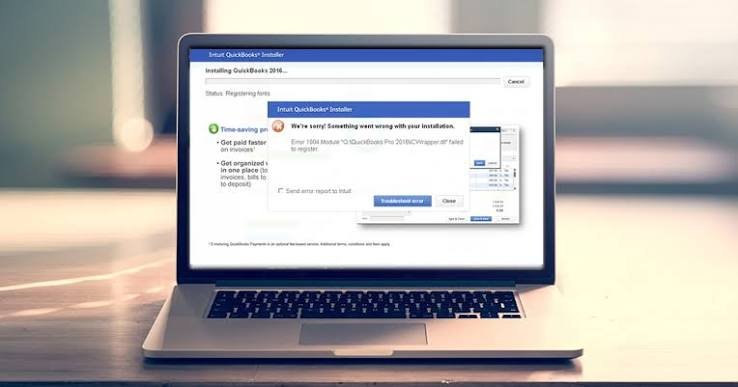
QuickBooks error 80029c4a means Windows couldn’t load a DLL or type library QuickBooks needs. See why it happens and the steps that clear it.
- QuickBooks error 80029c4a is the “error loading type library/DLL” message, QuickBooks asked Windows for a file and got nothing back
- Most people meet it opening QuickBooks or a company file, though other programs can throw it too
- The files involved sit in the WindowsSystem32 folder and handle reports, printing and links to Microsoft apps
- Your data’s safe, QuickBooks just may not start till that file’s repaired
What Causes QuickBooks Error 80029c4a
- Damaged or missing DLL files in Windows, the main culprit by a distance
- A QuickBooks install that broke when an update got cut off halfway
- .NET Framework or MSXML corrupted
- Registry entries pointing at files that no longer exist
- Malware, which loves editing system files
- Windows that hasn’t been updated in a year or more
- Another program uninstalled badly, taking a shared file with it
- A power cut or hard shutdown while Windows was writing files, I’ve seen this far more than anyone admits
What You’ll Notice
- A box saying “Error loading type library/DLL”
- QuickBooks won’t open, or flashes up for a second and shuts
- Reports, printing or Excel export break while everything else works fine
- Did Word or Outlook start complaining about DLLs too? Then it’s Windows, not only QuickBooks
- Opening QuickBooks drags on far longer than normal before the error finally shows
- It began after a Windows update, a new install, or removing some software
Quick Checks First
- Restart the PC, a half-finished Windows update can leave a DLL locked
- Try a different Windows user account, a broken profile looks exactly like this error
- Right-click the QuickBooks icon and pick Run as administrator
- Does every company file fail, or just one? If it’s one, look somewhere else entirely
- Is a second QuickBooks version installed? Two versions fighting over the same files causes this a lot
- Look at the date and time on the PC, a wrong clock can break how Windows loads files
- Write down the exact wording on screen, Intuit support will ask
How to Fix QuickBooks Error 80029c4a
Tool Hub First
- Download QuickBooks Tool Hub from Intuit’s official site
- Program Problems, then Quick Fix My Program
- Restart the computer
- Open QuickBooks and test
Install Diagnostic Tool
- In Tool Hub, open Installation Issues
- Run QuickBooks Install Diagnostic Tool, it takes 15 to 20 minutes so leave it alone
- Restart before you test again
Repair Windows System Files
- Search cmd, right-click, Run as administrator
- Type sfc /scannow and hit Enter
- Wait for 100%, then restart
- Still failing? Run DISM /Online /Cleanup-Image /RestoreHealth, then sfc once more
Update Windows
- Settings, Windows Update, Check for updates
- Install everything waiting
- Restart even if Windows doesn’t ask
Reset Microsoft Components
- Control Panel, Programs and Features
- Turn Windows features on or off
- Untick .NET Framework, restart, tick it back on
- Open QuickBooks and see if it’s gone
Scan for Malware
- Full scan, not the quick one
- Remove whatever turns up
- Restart and try QuickBooks again
Clean Install, Only If Nothing Else Worked
- Back up your company file first, no exceptions
- Uninstall QuickBooks from Programs and Features
- Run Intuit’s Clean Install Tool
- Reinstall, update, then open your file
When You’re Stuck
- Same error after every step above
- sfc or DISM won’t finish, which does happen
- Windows feels off and other programs crash too
- Several computers show it together
- Call Accounting Assist Pro before touching the registry yourself, I’d say that to anyone
Keeping It From Coming Back
- Install Windows updates every month or so, don’t sit on them
- Update QuickBooks on a schedule
- Keep antivirus running and scan now and then
- Uninstall software through Control Panel, never by deleting folders
- Let QuickBooks finish updating before shutting down
- Run Quick Fix My Program every couple of months
- Keep a recent backup of your company file off the computer, so a bad day with Windows never turns into a bad day for your books
FAQs
- Does QuickBooks error 80029c4a delete my company file?
- No, the file stays as it was
- The error only stops QuickBooks loading a system file it needs
- Why do other programs show a similar error?
- DLL files get shared between programs
- One damaged Windows file upsets everything using it, so the trouble’s Windows, not QuickBooks
- Can I fix this without reinstalling QuickBooks?
- Often yes
- Tool Hub, the Install Diagnostic Tool and sfc /scannow sort out most cases first
- Is it safe to run sfc /scannow?
- Yes, it’s built into Windows
- It only repairs protected system files, your personal files and company data stay untouched
- When should I call a professional?
- If the error returns after a clean install
- Or if other programs keep crashing as well, that points to deeper damage