
How to Get Professional Sound From Everyday Audio Recordings
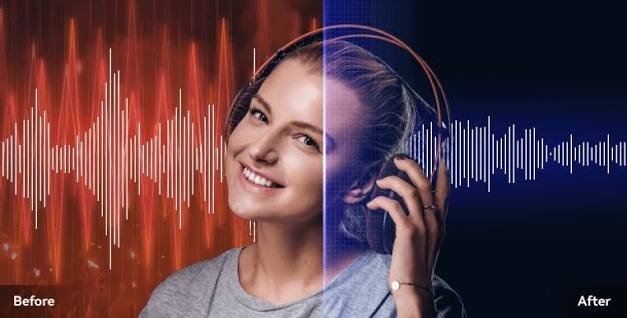
Creating high-quality audio no longer requires a professional recording studio. Today, people can record interviews, podcasts, tutorials, presentations, voiceovers, and social media videos using a smartphone, laptop, or affordable microphone. However, recording equipment is only one part of the process.
The recording environment also has a major effect on sound quality. Unwanted background sounds can make an otherwise good recording feel distracting or unprofessional. Fortunately, modern audio-processing technology provides simple ways to improve recordings after they have been created.
The Difference Between Good and Poor Audio
When people talk about audio quality, they often focus on microphone specifications, file formats, or recording levels. These things are important, but the surrounding environment can be equally significant.
Imagine two recordings made with the same microphone. One is created in a quiet room, while the other is recorded next to a busy road. Even though the equipment is identical, the second recording will probably contain much more unwanted sound.
Common distractions include traffic, fans, air conditioners, keyboard clicks, conversations, wind, and electrical hum.
These sounds can compete with the speaker’s voice and make the listener work harder to understand the recording.
Why Background Noise Is So Noticeable
Human hearing naturally focuses on voices and important sounds. However, a microphone does not always make the same distinctions.
A microphone can capture both the speaker and the environment at the same time. This means a quiet fan or distant conversation can become surprisingly noticeable when the recording is played through headphones.
Continuous sounds can be particularly distracting. A low hum that seems insignificant at first can remain present for the entire recording.
When several unwanted sounds appear together, the overall audio can become even more difficult to follow.
Common Recording Problems
There are several types of noise that creators encounter regularly.
Fan Noise
Fans and air conditioners often produce continuous sounds. They are common in home offices and bedrooms where many people record content.
Traffic
Vehicles, horns, motorcycles, and other outdoor sounds can enter through windows and doors.
Wind
Outdoor recordings are especially vulnerable to wind. Strong airflow can produce low-frequency noise that overwhelms speech.
Keyboard and Mouse Sounds
People recording tutorials or online meetings may accidentally capture keyboard clicks and mouse movements.
Electrical Hum
Poor connections or nearby electronic equipment can sometimes create humming or buzzing sounds.
Room Echo
Large rooms with hard surfaces can cause reflections that make speech sound distant or unclear.
Understanding the source of the problem can help determine the most suitable way to improve the recording.
Recording Techniques That Improve Audio
The best time to deal with noise is before recording starts.
Choose the quietest room available. Turn off unnecessary fans and appliances, close doors and windows, and move away from loud equipment.
Microphone placement is also important. A microphone that is positioned too far away may capture more room sound. Keeping it at an appropriate distance from the speaker can improve clarity.
It is also helpful to record a short test before beginning the main project. Listen to the test with headphones and check whether there are any distracting sounds.
These simple steps can significantly reduce the amount of cleanup required later.
When Noise Removal Becomes Necessary
Perfect recording conditions are not always possible.
A journalist may need to record an interview in a busy location. A student may have to record a presentation at home. A YouTube creator may capture an unexpected moment outside.
In these situations, background noise may already be part of the recording.
Instead of abandoning the file, creators can use noise-reduction technology to improve it.
Modern AI-based systems can analyze audio and attempt to distinguish the primary speech from unwanted background sounds.
Online Tools Make Audio Cleanup Easier
Professional audio software can provide powerful editing capabilities, but beginners may find it complicated.
Online noise-removal services provide a simpler alternative for basic cleanup. One example is Noise Remover, which provides a browser-based way to process audio and video recordings.
The general process involves uploading a supported file, choosing an appropriate processing mode, and allowing the system to process the recording.
Once the process is complete, users can listen to the result and determine whether the background noise has been reduced enough.
Why Comparing Before and After Matters
It is tempting to assume that the strongest noise reduction will always produce the best recording. This is not necessarily true.
Audio processing can sometimes affect the speaker’s voice. If too much processing is applied, speech may lose its natural quality.
For this reason, comparing the original and processed recordings is important.
Listen for changes in pronunciation, tone, volume, and clarity. A successful result should reduce distracting noise while preserving the character of the original voice.
Improving Podcast Production
Podcast creators can benefit greatly from effective noise reduction.
Podcasts often contain long conversations, meaning listeners have plenty of time to notice repetitive background sounds.
A small fan noise may not seem important during a five-minute recording, but hearing it continuously for an hour can become tiring.
Cleaning the audio before publishing can create a more comfortable listening experience.
However, podcast creators should still aim for natural-sounding voices. Excessive processing can be just as distracting as background noise.
Noise Reduction for Social Media
Short-form video has become another major use of recorded audio.
Creators often record videos quickly using smartphones. While modern phones can capture impressive video, their microphones may still pick up environmental sounds.
Noise reduction can help improve dialogue in short videos, tutorials, product demonstrations, and other social content.
Clearer speech can help viewers understand the message without increasing the volume or struggling to hear individual words.
Audio Cleanup for Education
Teachers and students can also benefit from cleaner recordings.
An online lesson may contain important information that students need to hear accurately. If the speaker’s voice is surrounded by constant noise, concentration can become more difficult.
Cleaning educational recordings can make lessons more accessible and comfortable to follow.
Students recording presentations can also use audio cleanup to improve the quality of their assignments.
Protect Your Original Files
Always keep a copy of the original recording before processing it.
Noise reduction is an editing process, and different settings can produce different results. If you only save the processed version, you may lose the ability to return to the original.
A simple workflow is to keep one folder for original recordings and another for edited files.
This also makes it easier to experiment with different noise-removal approaches without damaging the source material.
The Goal Is Natural Sound
The purpose of noise removal is not to create an unnaturally silent recording.
Instead, the goal is to make the main audio clearer and reduce distractions.
A natural-sounding voice with a small amount of room ambience can often feel better than a heavily processed voice surrounded by artificial silence.
The best result is one where listeners can focus on what the speaker is saying without being distracted by unnecessary background sounds.
Conclusion
Professional-sounding audio is possible even when you are working with everyday recording equipment. Good microphone placement, a suitable recording environment, and careful editing can make a significant difference.
When unwanted noise is already present, AI-powered noise-removal technology can provide a convenient way to improve the recording. Online tools such as Noise Remover can simplify the process for users who do not have extensive experience with professional audio software.
Whether you are producing podcasts, YouTube videos, online courses, interviews, presentations, or social-media content, clean audio can make your work easier to understand and more enjoyable to listen to.
Start by recording as cleanly as possible, use noise reduction carefully, and always review the final result. With these simple practices, everyday recordings can achieve a much clearer and more polished sound.