How Image Compression Improves Website Loading Speed
How Image Compression Improves Website Loading Speed
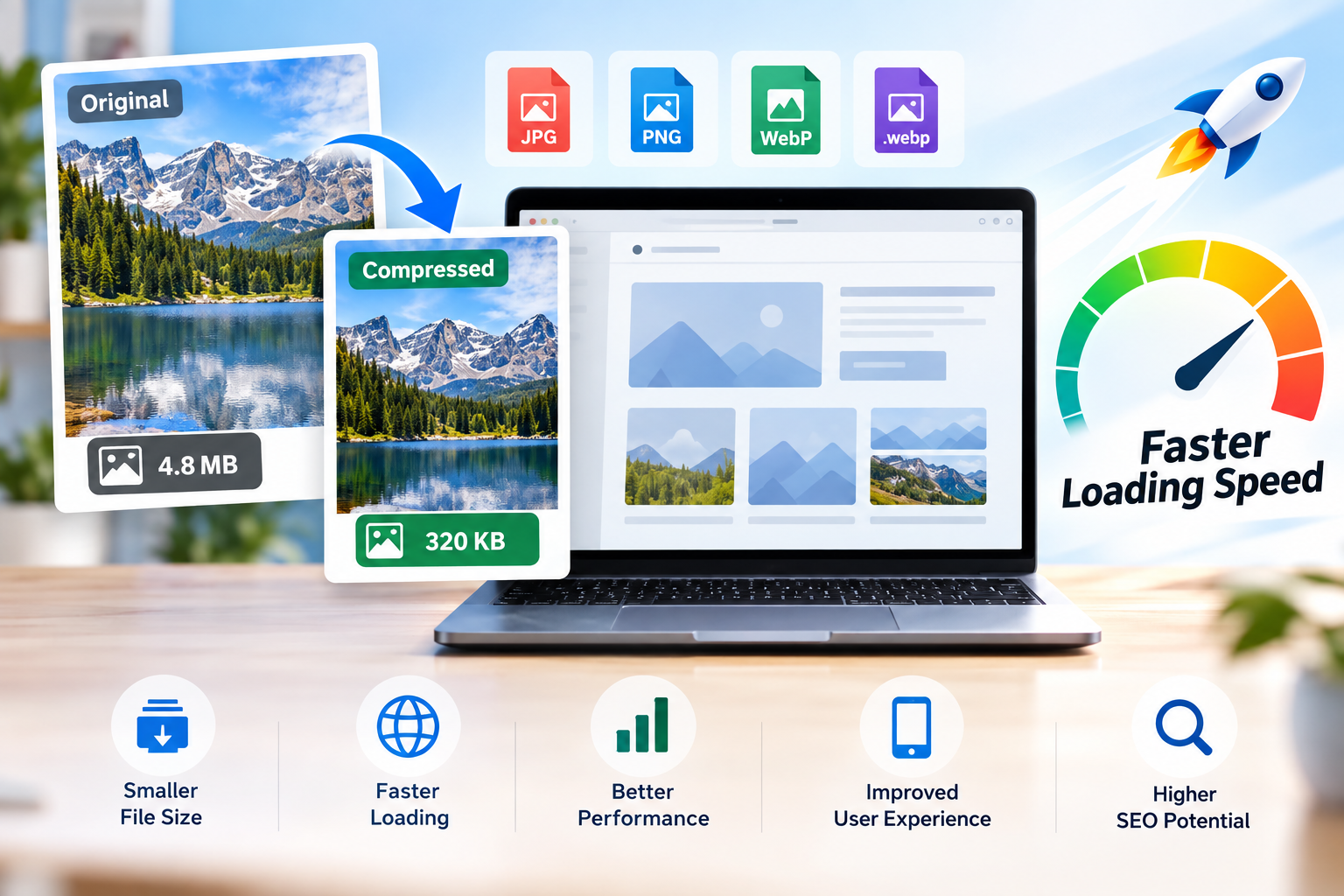
Website speed has a direct impact on how people experience a website. Large, unoptimized images can consume significant bandwidth, increase page weight, and make pages take longer to load. Using tools such as a Tiny PNG image compressor or another image compressor can reduce image file sizes while maintaining a level of visual quality that works well for the web.
Image compression is one of the simplest ways to optimize images and improve website performance. Whether you are working with PNG, JPEG, or WebP files, reducing unnecessary file size can make images faster to transfer from a server to a visitor’s browser.
Why Image Size Matters for Website Speed
Images are often among the largest assets on a web page. A high-resolution photograph or unoptimized PNG can be several megabytes in size, especially when uploaded directly from a camera or design application.
When someone visits a page, the browser needs to download the resources required to display it. If those resources include several large images, the amount of data that needs to be transferred increases.
For example, a page containing ten uncompressed images can become significantly heavier than the same page using properly optimized images. The result may be slower loading, particularly for visitors using mobile networks or devices with limited bandwidth.
Reducing image file size helps decrease the amount of data transferred without necessarily requiring you to remove images from the page.
How Image Compression Improves Loading Speed
Image compression works by reducing the amount of data needed to represent an image. Depending on the format and compression method, some information can be removed while other information can be represented more efficiently.
A good image compression workflow can help in several ways.
Smaller Files Transfer Faster
A smaller image generally requires less data to download. When the server sends a compressed image to the browser, the browser can receive the resource with less data transfer.
This can be particularly useful for pages containing multiple images, because even modest reductions in individual file sizes can add up to a meaningful reduction in total page weight.
Reduced Page Weight
Page weight refers to the overall amount of data a browser needs to download to render a page. Images can contribute a substantial portion of that weight.
Compressing images can therefore reduce the size of the page and make it easier for browsers to load the visual content efficiently.
Better Mobile Performance
Mobile visitors may use slower connections, limited data plans, or less powerful devices. A page filled with large photographs can take considerably longer to load under these conditions.
Compressing photos and other visual assets helps reduce the amount of data mobile users need to download.
Faster Visual Rendering
Image optimization can also help important visual elements appear sooner. This matters when an image is part of the main content users expect to see immediately after opening a page.
For this reason, image optimization should be considered as part of an overall website performance strategy rather than simply a way to save storage space.
What Is Image Compression?
Image compression is the process of reducing the amount of data contained in an image file.
There are two broad approaches: lossy image compression and lossless image compression.
Lossy Image Compression
Lossy compression reduces file size by removing some image information. Depending on the compression level, the difference may be difficult to notice or may become visible through artifacts, softness, or loss of fine detail.
JPEG compression commonly uses lossy techniques, making JPEG useful when substantial file-size reduction is more important than preserving every piece of original image data.
The appropriate compression level depends on how the image will be used. A large background photograph may tolerate more compression than a detailed graphic containing small text.
Lossless Image Compression
Lossless compression reduces file size without permanently removing image information.
PNG compression is commonly associated with lossless techniques, although PNG optimization can involve different methods for making the file more efficient.
Lossless compression can be especially useful for graphics, illustrations, screenshots, logos, and images where preserving exact visual information matters.
PNG, JPEG, and WebP: Which Format Should You Use?
Image format affects both quality and file size. Choosing an appropriate format before or alongside compression can make image optimization more effective.
PNG
PNG is well suited to graphics that require transparency, sharp edges, illustrations, icons, and certain screenshots.
A PNG image compressor can reduce the file size of PNG files while preserving their characteristics. However, PNG is not always the most efficient choice for photographic images.
JPEG
JPEG is widely used for photographs and other images containing many colors and gradual transitions.
JPEG compression can produce considerably smaller files than an uncompressed or inefficiently stored photograph. However, aggressive compression can introduce visible artifacts.
WebP
WebP is a modern image format designed to provide efficient image compression for the web. A WebP file can often provide a useful balance between file size and visual quality.
WebP supports both lossy and lossless compression, making it suitable for different types of web images.
When a website supports it, using an appropriate WebP image can be an effective part of an image optimization strategy.
How to Compress Images for a Website
A simple image optimization workflow can make a noticeable difference to page weight.
1. Choose the Right Image Format
Start by considering what type of image you are optimizing.
Photographs may work well as JPEG or WebP files, while transparent graphics may be better suited to PNG or another format that supports the required characteristics.
2. Reduce Unnecessary Dimensions
Compression is not the only way to reduce image size.
If an image is displayed at 800 pixels wide, there may be little reason to upload a 5,000-pixel version unless the larger source is genuinely required.
Reducing image dimensions before or during optimization can significantly reduce the amount of data that needs to be stored and transferred.
3. Compress the Image
Use an image compressor to reduce unnecessary file data.
A tool such as a TinyPNG image compressor is one example of a service people may use to compress images online. Similar tools can compress photos, PNG files, JPEG images, and other supported formats.
4. Check the Result
Compression should not be judged only by the percentage reduction.
Open the compressed image and compare it with the original. Check important details such as text, edges, faces, textures, transparency, and fine patterns.
The best result is usually the smallest file that still provides the visual quality required for its intended purpose.
5. Use the Optimized Image on Your Website
Once the image has been compressed and checked, replace the larger version on your website with the optimized file.
This helps ensure that visitors download the smaller version rather than an unnecessarily large original.
How Much Can Image Compression Reduce File Size?
There is no universal compression percentage that applies to every image.
The amount of reduction depends on factors such as:
- Original file size
- Image dimensions
- File format
- Image complexity
- Existing compression
- Compression method
- Quality settings
- Transparency
- Type of visual content
A photograph containing complex textures may respond differently to compression than a simple graphic with large areas of a single color.
For that reason, it is better to focus on the resulting file size and visual quality rather than aiming for a fixed percentage reduction.
Compress Photos Without Sacrificing Useful Quality
People often avoid compression because they associate smaller files with visibly lower quality. In practice, properly optimized images can remain visually sharp while being substantially smaller than their original versions.
The key is to choose an appropriate format and compression level.
For example, a photograph intended for a blog post usually does not need to preserve every piece of information contained in the original camera file. A properly compressed version can look almost identical at normal viewing sizes while requiring significantly less storage and bandwidth.
On the other hand, graphics containing small text or precise details may require more careful optimization.
The goal is not simply to compress photos as much as possible. The goal is to achieve an appropriate balance between file size and visual quality.
Image Compression and Website Performance
Image compression is only one part of website performance, but it can have an important role because images frequently account for a large portion of page resources.
Other optimization techniques can complement image compression, including:
- Using appropriately sized images
- Serving modern formats where suitable
- Lazy-loading images that are below the initial viewport
- Using responsive image techniques
- Caching static resources
- Optimizing CSS and JavaScript
- Using an efficient content delivery network
- Avoiding unnecessarily large decorative images
Combining these techniques can produce better results than relying on image compression alone.
Image Compression and Core Web Vitals
Website performance is also connected with Google’s page experience and Core Web Vitals.
Large images can contribute to slower loading and may affect important performance measurements when they are part of the primary content displayed on a page.
For example, an oversized hero image may require substantial data before the main visual content becomes available. Optimizing that image can help reduce unnecessary resource size.
However, Core Web Vitals are influenced by multiple technical factors. Compressing every image does not automatically guarantee excellent performance scores.
A complete performance strategy should consider the entire page rather than focusing on a single optimization technique.
TinyPNG Image Compressor and Other Online Compression Tools
A TinyPNG image compressor is a commonly recognized example of an online image compression service. Tools in this category allow users to upload supported images and receive optimized versions with reduced file sizes.
When comparing an online image compressor, consider practical factors such as:
- Supported image formats
- Maximum file size
- Number of images supported
- Compression method
- Output quality
- Processing speed
- Download options
- Privacy and file handling
- Whether an account is required
Different tools use different processing methods, so the final file size and visual result can vary from one service to another.
The important point is to choose a workflow that consistently produces images appropriate for your website.
Compress Images Online Without Installing Software
One advantage of an online image compressor is convenience.
Instead of installing dedicated image-editing software, users can upload an image through a browser, process it, and download the compressed version.
This is useful for bloggers, website owners, students, marketers, developers, photographers, and anyone who occasionally needs to reduce image size.
An online workflow can be particularly convenient when you only need to compress images online rather than perform extensive photo editing.
Why Image Optimization Matters for Websites
Optimizing images can provide benefits beyond faster downloads.
Lower Bandwidth Usage
Smaller files require less data to transfer between your server and visitors.
Better User Experience
Visitors are less likely to wait for oversized images to appear, particularly on slower connections.
Easier Content Management
Optimized images consume less storage and can make media libraries easier to manage.
More Efficient Mobile Browsing
Smaller images reduce the amount of data required to display image-heavy pages on mobile devices.
Better Overall Performance
Reducing unnecessary page weight can complement other performance improvements and contribute to a more efficient website.
Common Image Compression Mistakes
Image optimization can become ineffective when the wrong approach is used.
Uploading Original Camera Files
Modern cameras and smartphones can create extremely large files. Uploading these files directly to a website may add unnecessary page weight.
Using the Wrong Format
Not every image needs to be PNG. Not every photograph needs to remain in JPEG. Choosing a suitable format can make optimization more effective.
Compressing Without Checking Quality
A smaller file is not automatically a better file. Excessive compression can create visible artifacts and reduce the quality of important images.
Using Oversized Dimensions
Compressing a 5,000-pixel image does not necessarily make it appropriate for a small website element. Dimensions should match the intended display size as closely as practical.
Repeatedly Compressing the Same Lossy Image
Repeated lossy compression can progressively degrade image quality. Keep a high-quality original and create optimized versions from it when possible.
A Simple Image Optimization Workflow
For most websites, a practical workflow can be summarized in a few steps:
Choose the appropriate format → resize when necessary → compress the image → compare quality → upload the optimized version → monitor website performance.
This approach keeps image optimization simple while addressing the main factors that influence file size and usability.
Frequently Asked Questions
Does image compression really improve website speed?
Yes. Compressing images can reduce the amount of data a browser needs to download. The actual improvement depends on the original image sizes, number of images, page structure, connection speed, and other performance factors.
Does compressing an image reduce its quality?
It can, depending on the compression method and settings. Lossy compression removes some information, while lossless compression preserves the original image information. Properly optimized images can often achieve substantial file-size reductions without noticeable quality loss.
Is WebP better than JPEG?
Neither format is universally better. WebP can provide efficient compression and supports both lossy and lossless modes, while JPEG remains widely supported and effective for photographs. The best choice depends on the image and your website’s requirements.
Can I compress PNG images?
Yes. PNG files can be optimized using PNG compression techniques. A PNG image compressor can reduce unnecessary file data while preserving the characteristics that make PNG useful, such as transparency and sharp graphics.
What is the best image size for a website?
There is no single ideal size for every website image. The image should generally be large enough for its intended display area without being unnecessarily oversized. Responsive image techniques can also help serve appropriate dimensions to different devices.
Should I compress every image before uploading it?
For most websites, optimizing images before they are served to visitors is a good practice. The exact workflow depends on your content management system and image-processing setup, but avoiding unnecessarily large image files is generally beneficial.
Is it better to compress photos online or with software?
Both approaches can work. Online image compressors are convenient for quick optimization, while desktop software can provide more control over advanced editing and export settings. The best option depends on your workflow and requirements.
Final Thoughts
Images are essential to modern websites, but unnecessarily large files can increase page weight and slow down the user experience. Image compression provides a straightforward way to reduce file sizes while keeping images suitable for their intended use.