iPad Kiosk Software
How to Turn an iPad Into a Secure Business Kiosk:
iPads are used everywhere today from retail stores and restaurants to schools, hospitals, hotels, and corporate offices. Their simple interface, portability, and reliable performance make them a practical choice for customer-facing and employee workflows.
But when an iPad is being used for a specific business purpose, giving users unrestricted access to the entire device may not be ideal.
For example, a retail store may want an iPad to run only a product catalog. A restaurant may use one for self-ordering, while a hotel might use an iPad for guest check-in. In these situations, iPad kiosk software can turn a standard iPad into a dedicated-purpose device.
What Is iPad Kiosk Software?
iPad kiosk software is designed to restrict an iPad to a specific application or a selected group of applications.
Instead of giving users access to the complete iPad interface, administrators can decide which apps and functions should be available. This creates a more focused and controlled experience.
With iPad kiosk mode, an organization can configure an iPad to perform a particular task without allowing users to open unrelated apps, change important settings, or access unauthorized content.
This makes kiosk management particularly useful for shared, public-facing, and dedicated business devices.
Why Use an iPad Kiosk App?
A dedicated iPad kiosk app can solve a simple but important problem: keeping users focused on the purpose of the device.
Consider an iPad placed at a hotel reception desk. If the device is intended for guest check-in, there is little reason for visitors to access settings, messaging applications, social media, or other unrelated functions.
A kiosk configuration can restrict the device to the approved application.
Some common benefits include:
- A more focused user experience
- Reduced access to unauthorized applications
- Better control over shared devices
- Easier management of customer-facing iPads
- Improved security
- Consistent device configurations
- Simplified IT administration
- Support for dedicated business workflows
The goal isn’t simply to lock an iPad. It’s to make the device work exactly as intended.
How Does iPad Kiosk Mode Work?
iPad kiosk mode places the device into a controlled operating environment.
Depending on the organization’s requirements, administrators can configure the iPad for a single application or multiple approved applications.
For example:
Single-app kiosk: The iPad runs one application, such as a POS, survey, check-in, or digital signage app.
Multi-app kiosk: The iPad provides access to several approved applications while restricting everything else.
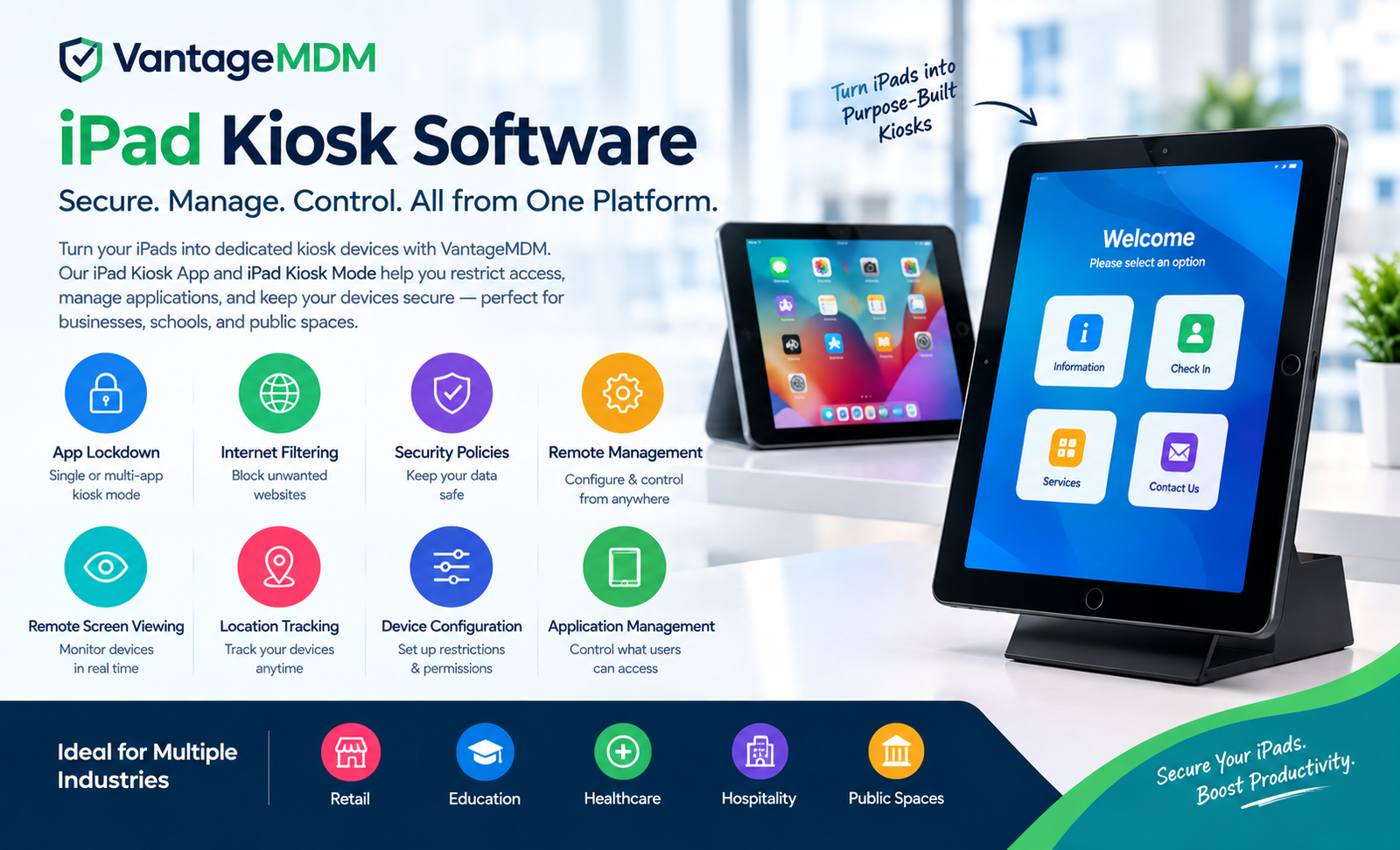
VantageMDM supports both single-app and multi-app kiosk configurations, allowing administrators to choose the setup according to the device’s purpose.
Single-App Kiosk for iPad
A single-app configuration is useful when an iPad has one primary job.
Imagine an iPad used as:
- A restaurant ordering terminal
- A customer check-in station
- A digital signage screen
- A self-service terminal
- A point-of-sale device
- A product information display
- A visitor registration device
In each case, allowing users to browse the entire device can create unnecessary distractions or security concerns.
A single-app kiosk keeps the experience simple by limiting access to the application required for the workflow.
Multi-App Kiosk for iPad
Not every business device needs to run just one application.
A delivery employee, for example, may need a navigation application, delivery management software, communication tools, and an inventory application.
A multi-app configuration provides this flexibility while still maintaining control.
With a multi-app kiosk, administrators can select which applications are available and restrict access to everything outside the approved set.
This creates a balance between usability and device control.
What Makes the Best iPad Kiosk App?
There isn’t one best iPad kiosk app for every organization. The right choice depends on the type of devices being managed, the number of users, security requirements, and the business workflow.
However, there are several features worth looking for when evaluating an iPad kiosk solution.
1. Single and Multi-App Support
A good solution should support both dedicated single-purpose devices and workflows that require several applications.
This gives organizations room to adapt the same management platform to different use cases.
2. Remote Management
Managing one iPad manually is easy. Managing hundreds of iPads across different locations is not.
Remote management allows administrators to make changes without physically handling each device.
VantageMDM provides centralized administration for kiosk devices, allowing IT teams to push kiosk-related settings remotely.
3. Application Control
Application control is one of the most important parts of an iPad kiosk solution.
Administrators should be able to decide which applications are allowed and which should remain unavailable.
This is particularly useful for public-facing devices where users should not be able to install or access unrelated software.
4. Internet Filtering
An iPad connected to the internet may need additional web-access controls.
For example, a school may want to limit access to inappropriate websites, while a retail kiosk may need to provide access only to business-related websites.
VantageMDM supports website blacklists, whitelists, and category-based internet filtering for managed devices.
5. Security Restrictions
A kiosk device should not necessarily expose every hardware and system feature to the user.
Depending on the deployment, administrators may want to restrict functions such as the camera, Siri, volume controls, power buttons, Bluetooth, or other device capabilities.
VantageMDM provides configurable restrictions for these types of requirements.
6. Remote Screen Monitoring
For organizations managing devices in multiple locations, visibility can be just as important as control.
Remote screen viewing can help IT teams understand what is happening on a device without being physically present.
VantageMDM includes remote screen viewing as part of its device management capabilities.
iPad Kiosk Software for Different Industries
One of the reasons iPads work well as kiosks is their flexibility. The same hardware can support completely different workflows depending on the application and configuration.
Retail
Retailers can use iPads for product catalogs, customer assistance, inventory lookup, self-service, and point-of-sale workflows.
An iPad kiosk app can provide customers with access to the required service without exposing unrelated device functions.
Restaurants
Restaurants can deploy iPads for self-ordering, menu browsing, customer feedback, and table-side ordering.
A kiosk configuration helps keep the device focused on the restaurant’s application.
Healthcare
Healthcare organizations can use iPads for patient check-in, forms, surveys, wayfinding, and specialized applications.
Because healthcare devices can handle sensitive information, restricting access to unnecessary apps and functions can be an important part of the overall device-management strategy.
Education
Schools can use iPads for learning applications, testing, digital resources, and classroom activities.
iPad kiosk mode can help educators create a controlled environment where students access only the applications and resources required for a particular activity.
Hospitality
Hotels and resorts can use iPad kiosks for guest check-in, concierge services, room information, surveys, and other self-service experiences.
Corporate Offices
Businesses can use iPads for visitor management, meeting-room booking, employee forms, presentations, and internal applications.
iPad Kiosk Software vs. Basic iPad Restrictions
It’s important to understand the difference between basic device restrictions and a full kiosk management solution.
Basic iPad settings can be useful for individual users and simple scenarios. However, organizations managing a fleet of devices often need centralized administration.
A dedicated iPad kiosk software platform can provide additional capabilities such as:
- Centralized device management
- Remote policy deployment
- Application management
- Website filtering
- Security restrictions
- Device monitoring
- Location tracking
- Kiosk configuration
- Remote troubleshooting
This becomes particularly valuable when devices are distributed across multiple offices, stores, classrooms, or other locations.
How to Choose an iPad Kiosk Solution
Before selecting an iPad kiosk app, consider how the device will actually be used.
Ask these questions:
Will the device run one app or several?
If it has one dedicated purpose, single-app mode may be appropriate. If employees or customers need several tools, multi-app mode may be more practical.
Will the device be public-facing?
Public devices typically require stronger restrictions because many different people may interact with them.
Do you need remote management?
If devices are distributed across multiple locations, centralized management can save significant administrative time.
Do you need website filtering?
If the device provides internet access, consider whether administrators need to control websites or web categories.
How many devices will you manage?
A solution that works for five iPads may not provide the same experience when managing hundreds.
Managing iPads with VantageMDM
VantageMDM provides an iPad kiosk software solution designed to help organizations turn iPads and iPhones into controlled, dedicated-purpose devices.
Administrators can configure single-app or multi-app kiosk environments, manage applications, apply restrictions, control internet access, monitor screens remotely, and track devices through a centralized platform.
The platform is also designed to work as part of a broader mobile device management environment, so organizations can manage their kiosk devices alongside other supported devices from one dashboard.
For organizations that need more than a basic single-device setup, this centralized approach can make ongoing administration considerably easier.
Final Thoughts
An iPad can be much more than a general-purpose tablet. With the right iPad kiosk software, it can become a dedicated tool for customer service, education, retail, healthcare, hospitality, or internal business operations.
iPad kiosk mode helps organizations control what users can access, while centralized management makes it easier to maintain those configurations across multiple devices.
When looking for the best iPad kiosk app, focus on the features that match your actual workflow—single or multi-app support, application control, security restrictions, internet filtering, remote management, and scalability.
For organizations managing multiple iPads, a centralized solution such as VantageMDM can bring these capabilities together and provide a more manageable approach to iPad kiosk deployment.
Learn more about iPad Kiosk Software and how it can help transform iPads into secure, purpose-driven devices.