EZCAD Software Download: A Practical Guide for Laser Marking Setup
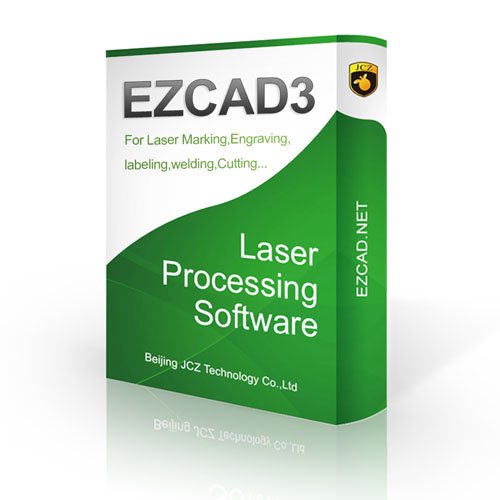
Laser marking technology is widely used in manufacturing, product customization, metal engraving, and industrial identification. To manage marking operations effectively, compatible software plays an important role in preparing designs, configuring parameters, and controlling laser machines. ezcad software download is a common search for users who want to get started with laser marking or update their existing software.
EZCAD is commonly used with compatible fiber laser marking systems.
What Is EZCAD Software?
EZCAD is a laser marking control program designed to help users create, edit, and process marking designs. It allows operators to work with text, logos, shapes, barcodes, QR codes, and other graphical elements before sending them to a laser marking machine.
The software is commonly used with fiber laser marking systems and compatible controllers. Depending on the machine’s hardware, controller, and software version, users can access different tools for preparing marking jobs and managing production tasks.
How to Find the Correct EZCAD Software Download
Finding the appropriate software version is an important part of setting up a laser marking machine. Before installing any program, users should check the controller model, machine compatibility, and operating system requirements.
When searching for ezcad software download, consider the following steps:
-
Identify the controller installed in your laser marking machine.
-
Confirm which EZCAD version is supported by your hardware.
-
Download installation files from your machine manufacturer or a trusted source.
-
Follow the installation instructions provided with the software.
-
Install the required drivers if your system needs them.
Using a compatible version can help prevent connection problems and software configuration errors during machine setup.
Working with EZCAD for Laser Marking Projects
EZCAD provides a workspace where users can arrange designs, enter text, import graphics, and prepare marking layouts. The software is useful for engraving serial numbers, company logos, product information, identification labels, and customized designs.
Users can also configure marking settings according to the material, laser source, and machine requirements. Proper parameter selection and testing are essential before starting production, particularly when marking stainless steel, aluminum, brass, or other materials.
Installation and Setup Considerations
After completing an ezcad software download, users should carefully follow the installation instructions supplied with their laser machine. Driver installation, controller communication, and configuration settings may vary between systems.
It is also recommended to keep a backup of existing configuration files and avoid changing controller settings without understanding their purpose. During initial testing, use suitable laser safety equipment and follow the machine manufacturer’s safety guidelines.
Final Thoughts
EZCAD is an important software solution for many laser marking applications, helping users prepare designs and control compatible marking machines. Choosing the correct version, following installation instructions, and understanding basic software functions can make the setup process more manageable. Whether you are new to laser engraving or already working with industrial marking equipment, the right software configuration can support a more organized and consistent workflow.